
A reader guide, not a shop
Basetao Spreadsheet: browse finds, plan the order
Find the product, verify its seller and size, and keep the warehouse and shipping decisions in view. This guide connects product discovery with a complete Basetao order.
Browse the Basetao Spreadsheet by category
Each tile opens that category in the finds catalogue. The line under each one is the thing Basetao will or will not do for that kind of item, taken from its own inspection, prohibited items and freight pages.
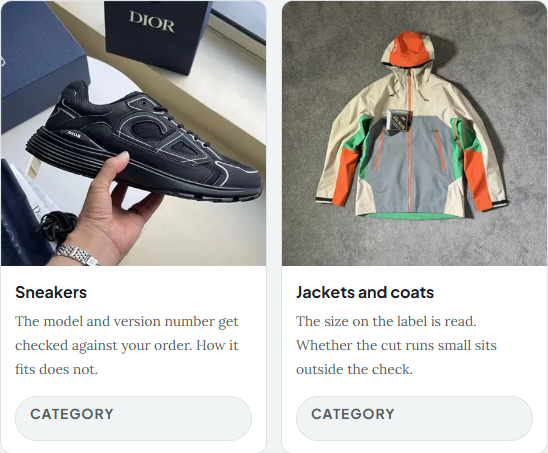
 SneakersThe model and version number get checked against your order. How it fits does not.Category
 Jackets and coatsThe size on the label is read. Whether the cut runs small sits outside the check.Category
 HoodiesPrint position shows in the free QC photos. Say it matters before the parcel is packed.Category
 T-shirtsColour is matched to the order you placed. Colour difference itself is an exclusion.Category
 JeansFlat measurements are a 1.5 CNY request. Nothing is measured unless you ask.Category
 SweatpantsDrawstrings and cuffs photograph clearly. Weight and drape never do.Category
 WomenswearThis one lands on search results, not a category page. The catalogue is cut by item, not by gender.Search results
 JerseysNames, numbers and patches are print work, so ask for a close up before it ships.Category
 BagsHardware and stitching show in the photos. Lining weight and smell do not.Category
 HatsCrown depth and brim width are not label fields, so that question goes to the seller.Category
 BeltsBuckle finish photographs well. Strap length is a printed number, not a measured one.Category
 EyewearFrames get an external look only. Nothing is tried on and no lens is tested.Category
 PerfumeLiquid sits on the refused list at the purchase stage. Read that rule before you pay.Category
 JewelleryTone and clasp show in the photos. Plating thickness is not on the inspection list.Category
 WatchesWatches have their own box on the freight declaration, which picks the line before weight does.Category
 ElectronicsExternal check, accessories uncounted, nothing switched on. Laptops and phones are refused outright.Category
The catalogue comes first
What is a Basetao Spreadsheet?
A Spreadsheet is a collection of product finds with pictures, category links and routes back to the original seller. Use it to discover an item, then confirm the live listing and exact variant. It is separate from the agent that takes your order.
Why use this Basetao Spreadsheet?
The category briefs connect each find with a practical buying check. Our guides then explain the costs, warehouse decisions and parcel preparation, so a product link does not leave you guessing what comes next.
How to read product cards and compare finds sites · All category briefs
What is Basetao, and what does the agent do?
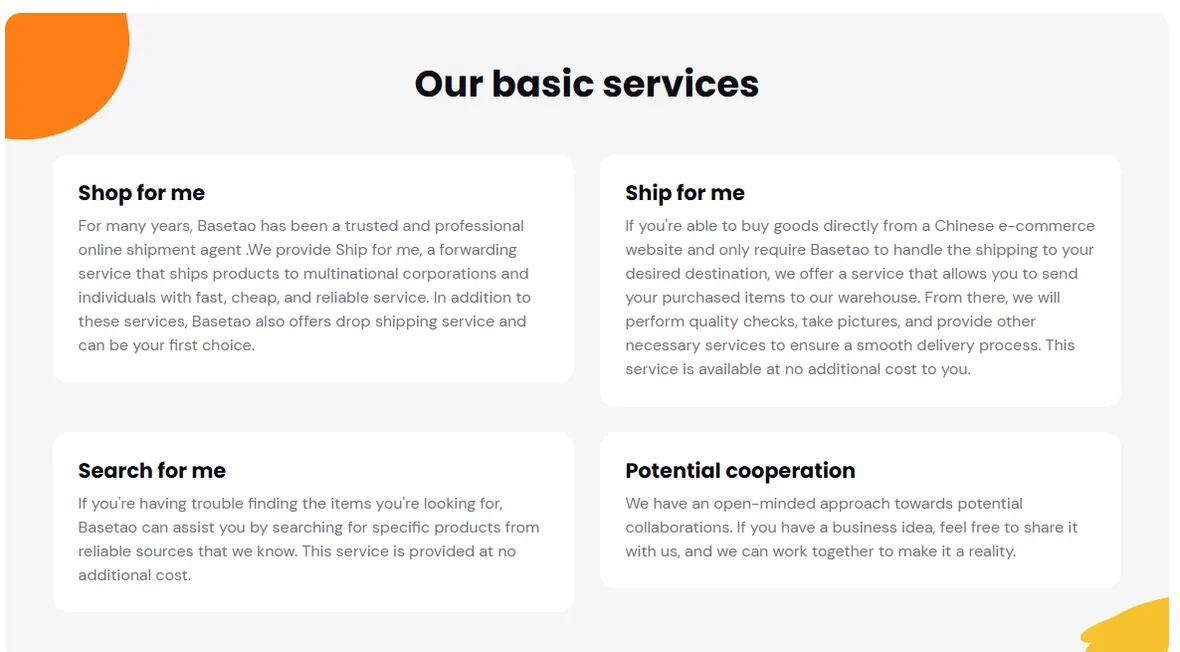
Basetao is a Chinese shopping agent. You give it a link to something on Taobao, Tmall, JD, 1688, Yupoo or a WeChat seller. Basetao buys it in its own name, receives it at a warehouse in Guangzhou, photographs it, holds it until you are ready, then packs and ships it to your country.
It runs three services rather than one. Buy for me is the purchase route. Ship for me forwards goods you bought yourself. Search for me looks for an item when you only have a picture, for a stated fee of 1 CNY that is refunded if it is not found.
Why choose Basetao?
Purchase and forwarding services can put several sellers’ items into one warehouse workflow. Arrival photos, optional measurements and published inspection terms help you decide before international shipment. Compare your destination route, current charges and return needs before choosing it.
One order, with time to check
How to use the Basetao Spreadsheet and Basetao
Find and place the order
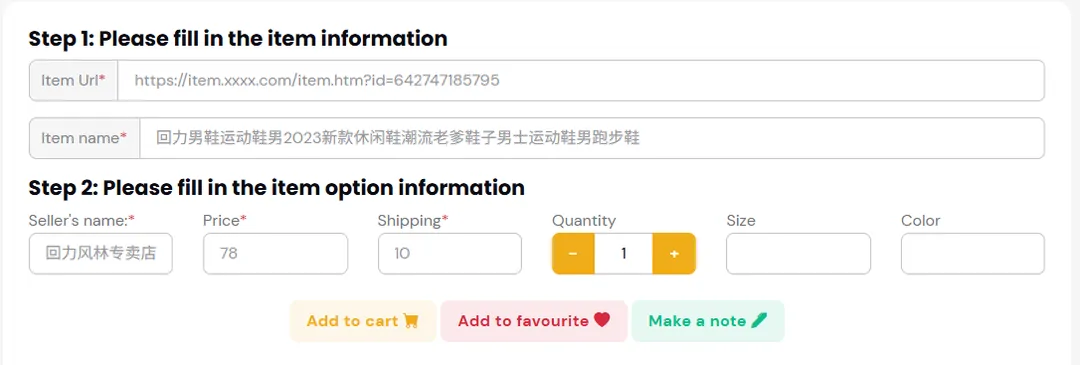
Copy the seller URL. Confirm the colour, size, quantity and domestic delivery charge in Basetao, then pay for the purchase and selected services. Save a specific measurement or photo request with the item.
Inspect before you commit to shipping
Read the warehouse photos against the order. Ask for a missing detail, or request a return while the seller’s deadline and packaging conditions still allow it.
Prepare the parcel and pay shipping
Choose packaging and a route suited to the destination and item type. Review the packed-weight quote, pay the international freight, then keep the carrier tracking and delivery evidence.
Complete ordering and delivery guide · Costs, exchange rates and shipping calculations · QC decisions and the historical cover calculator
Keep a useful reference nearby
Guides, FAQ and order help
Before you buy
Check seller terms, product restrictions and the size details that a listing can leave unclear.
Help centre and FAQ
Match an order, QC, payment or parcel problem to the official support route. Includes a glossary.
Notices and dated changes
Read specific policy observations and see where current offers or community evidence remain unconfirmed.
About this independent guide
What the site does, its referral relationship and why agent support must handle your account.